
In this blog post, we will walk through the steps of using Polygon on Sushi and how to Yield Farm on the Sushi platform. Polygon is agile, efficient, fast-moving in bringing blockchain infrastructure to the masses and to the world.
Step 1: Visit https://app.sushi.com/swap
Step 2: Switch your network to Polygon (Matic).
Step 3: Select the token you wish to swap from and to.
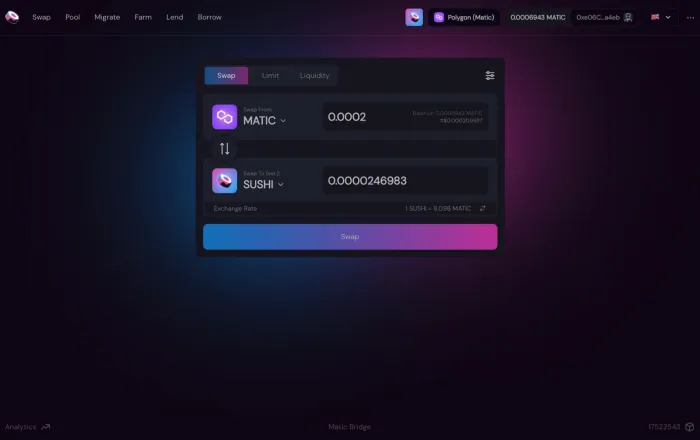
Step 4: Input the amount you wish to swap for.
Step 5: Click on Swap.
Step 6: Allow Sushi to spend your tokens by confirming in your wallet.
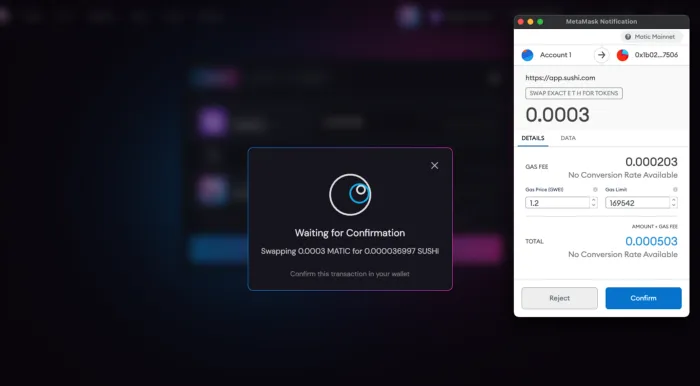
Step 8: Confirm the swap transaction fee from your wallet and you are done!
Yield Farming
Same $SUSHI rewards, different chain. We are excited to host Polygon (Matic) first non-Ethereum Mainnet Onsen farms on Sushi! Let’s go through the steps together to step into Sushi’s Onsen on the Polygon (Matic) network.
Step 1: Go to https://app.sushi.com
Step 2: Switch your network to Polygon (Matic)
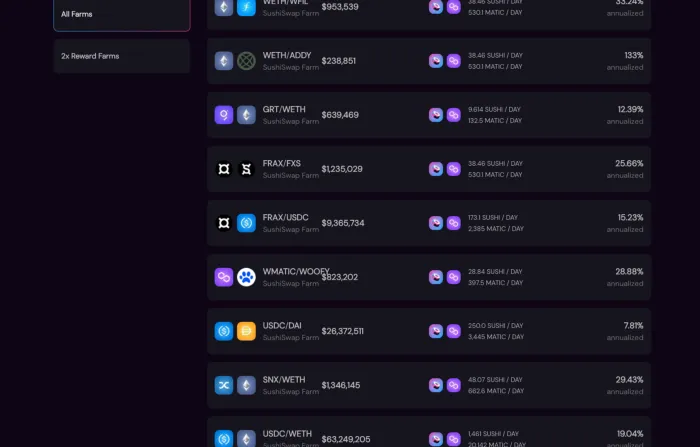
Step 3: Click on the Farm tab to check which farms are available on the Polygon (Matic) network that you would like to join.
**Note, in order for you to join an Onsen pair and start earning rewards, you need to add liquidity first.
Step 4: Click on the Pool tab.
Step 5: Select the tokens for a valid token pair you wish to add liquidity to.
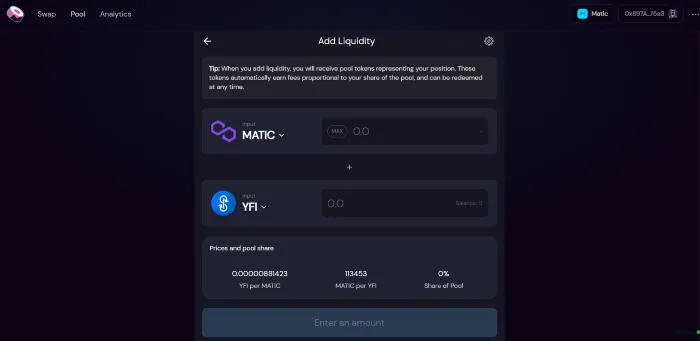
**Note: While adding liquidity to a pair, both sides of the pair need to have an exact monetary value.
Step 6: Add the number of tokens you wish to add to the pool of the first token. The platform will automatically add the equal monetary value of liquidity to the second asset, given there is sufficient balance.
Step 7: Approve Sushi to access your tokens from your wallet.
Step 8: Click Supply, then Confirm Supply in the popup.
Step 9: Approve the transaction and relevant fees from your wallet, you will now receive your liquidity pair or LP tokens.
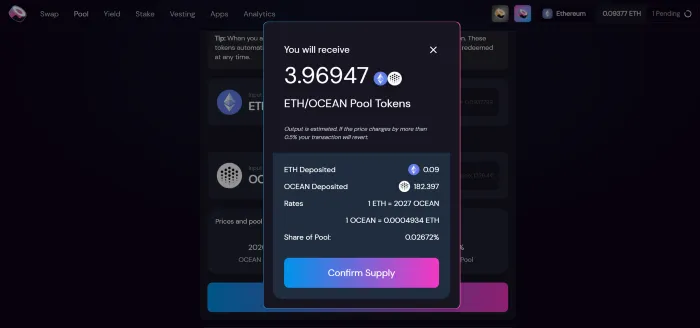
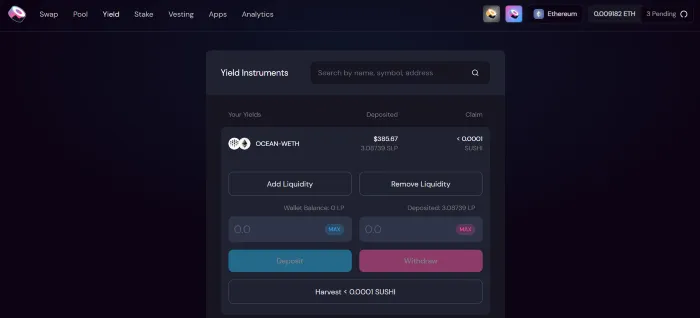
Step 10: Once the transaction approves, click the Yield tab and click the yield farming pair you wish to join, you should see your Wallet Balance now displays your received LP tokens
Step 11: Input the amount of LP tokens you wish to add to the farm or click MAX.
Step 12: Click Approve.
Step 13: Allow Sushi to spend your SLP tokens from your wallet.
Step 14: Click Deposit.
Step 15: Confirm the transaction and the relevant fees from your wallet.
About Polygon
Polygon is the first well-structured, easy-to-use platform for Ethereum scaling and infrastructure development. Its core component is Polygon SDK, a modular, flexible framework that supports building and connecting Secured Chains like Plasma, Optimistic Rollups, zkRollups, Validium, etc, and Standalone Chains like Polygon POS, designed for flexibility and independence. Polygon’s scaling solutions have seen widespread adoption with 450+ Dapps, ~350M txns, and ~13.5M+ unique users.
If you’re an Ethereum Developer, you’re already a Polygon developer! Leverage Polygon’s fast and secure txns for your Dapp, get started here.
Website | Twitter | Ecosystem Twitter | Studios Twitter | Reddit | Discord | Telegram
Custodial vs. Non-Custodial Wallets: Which One Should Your Platform Build?
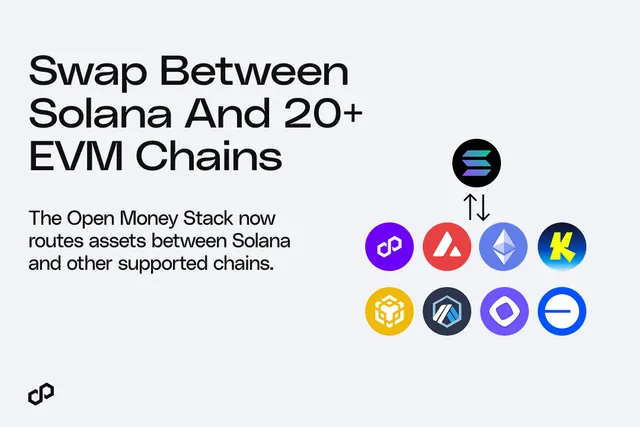
Move Money Between Solana and Polygon, Ethereum, Base + more EVM Chains with Polygon OMS
.CXtdIGFA_Z2ODqj.webp)
Ithaca Upgrade Is Live: Payments on Polygon Chain Are More Reliable Than Ever

Kansai Electric Power's Rewards Arm Turns Loyalty Points Into Real Stablecoin Payments on Polygon Chain
Mento Protocol Launches on Polygon for Local Currency Stablecoin Payments
PayPal USD Lands on Polygon Chain, Enabling Regulated Onchain Dollars to Move Across Borders in One Integration
Credible Races Past $152M Total Payments Volume on Polygon
We Built the Best Blockchain for Payments. Now We’re Bringing the World’s Enterprises Onchain
Uquid Integrates Polygon's Open Money Stack for 1-Click Crypto Checkout Across 178M+ Products
.Cfn0LZ0R_2iwkGz.webp)